Send Clients a Professional Work Report in Seconds
VADesk now lets you generate a branded work report for any client — showing logged hours, a per-task breakdown, and progress stats. Download it as a PDF or share a link directly. No spreadsheets, no copy-pasting.
Every VA has been asked the same question: "What exactly did you work on this month?" And every time, the answer involves digging through notes, time logs, and chat threads to piece together something that looks professional enough to send.
Not anymore. VADesk now includes a Work Report feature that assembles that answer for you — in seconds, with your name on it.
What the Work Report includes
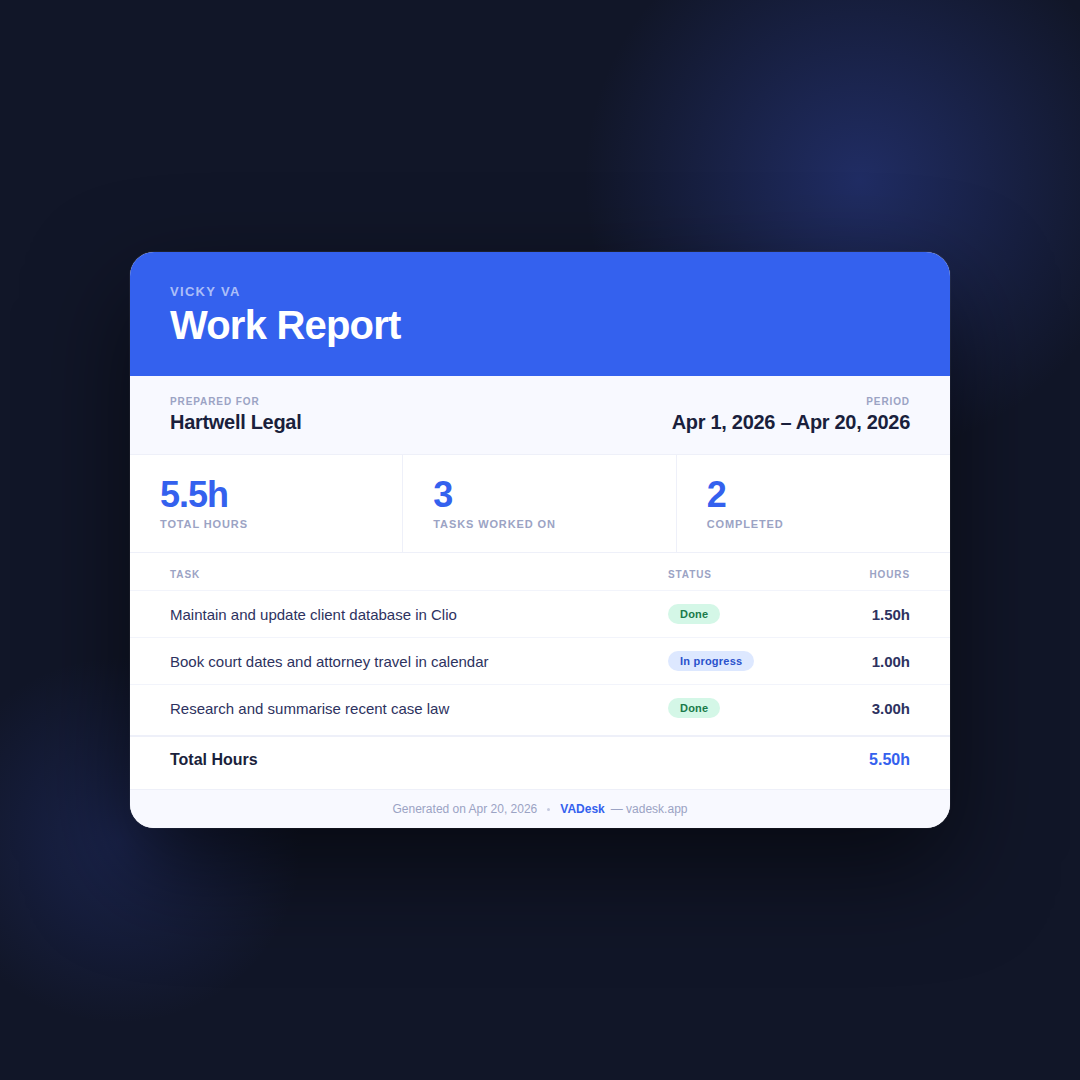
The report pulls directly from the hours you've already logged in VADesk. Select a client and a date range, and the report builds itself. Here's what it shows:
- Your display name — so the report is branded to you, not generic
- The client name and reporting period
- Total hours logged across the period
- Number of tasks worked on and tasks completed
- A per-task breakdown: description, status, and hours logged on each task
No extra data entry. Everything comes from the time logs you've already created.
Download as a PDF
Hit "Download PDF" and VADesk generates a clean, A4-formatted document named after your client and the reporting period. It's ready to attach to an email or invoice — no reformatting needed.
The PDF includes a branded header with your name, the full task breakdown, and a total hours footer. It looks like something you'd spend 20 minutes putting together in a Google Doc. It takes two clicks.
Share a link instead
If you'd rather not attach a file, use "Get Share Link." VADesk generates a secure, time-limited URL that gives your client a live view of the report — no login required on their end.
The link is valid for 7 days. After that it expires automatically, so you're not leaving old reports floating around indefinitely. It's the cleanest way to send a report: paste the link into a message and you're done.
Why this matters for client trust
Clients who can see exactly where their hours went are clients who renew. Transparent reporting isn't just professional polish — it actively reduces the friction around billing conversations. When a client can open a link and see "18.5 hours across 7 tasks, 5 completed," there's nothing to argue about.
The Work Report is available now in your VADesk dashboard, under the Report section. If you've been logging hours, your first report is already waiting to be generated.